BlogEkLine vs GitBook
EkLine and GitBook approach documentation from different angles. GitBook is a complete documentation platform for writing, organizing, and hosting. EkLine automates the documentation lifecycle—treating outdated or inconsistent docs as bugs to catch before publication.
EkLine and GitBook approach documentation from different angles. GitBook is a complete documentation platform for writing, organizing, and hosting. EkLine automates the documentation lifecycle—treating outdated or inconsistent docs as bugs to catch before publication.
At a Glance
| Feature | EkLine | GitBook |
|---|---|---|
| Primary focus | Documentation lifecycle automation | Documentation hosting & collaboration |
| Pricing model | Per-user ($50/user/month) | Per-site + per-user |
| Starting price | Free (public repos) | Free (limited); Premium $65/mo + users |
| GitHub integration | PR review with inline comments | Git Sync for content |
| AI for writers | Docs Agent drafts & identifies updates | GitBook Agent suggests improvements |
| AI for readers | Not included | AI-powered search |
| VS Code extension | Real-time feedback | Not available |
| Browser extension | Works in Google Docs | Not available |
| Style guide enforcement | Automated, customizable | Not available |
| Broken link detection | CI/CD integrated | Manual |
| Quality scoring | Built-in | Analytics only |
| Doc hosting | Not included | Beautiful hosted sites |
| Visual editor | Uses your editor | Block-based editor |
| Spaces/organization | Your repo structure | Nested spaces |
The Core Difference
GitBook is a complete documentation platform. You write in GitBook, organize in GitBook, and publish from GitBook. It's self-contained with a great visual editor and polished output.
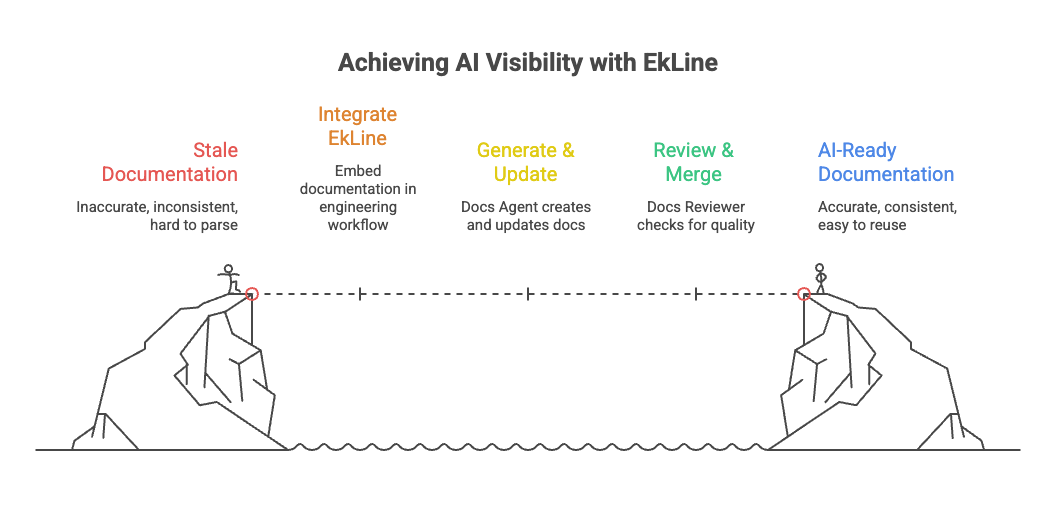
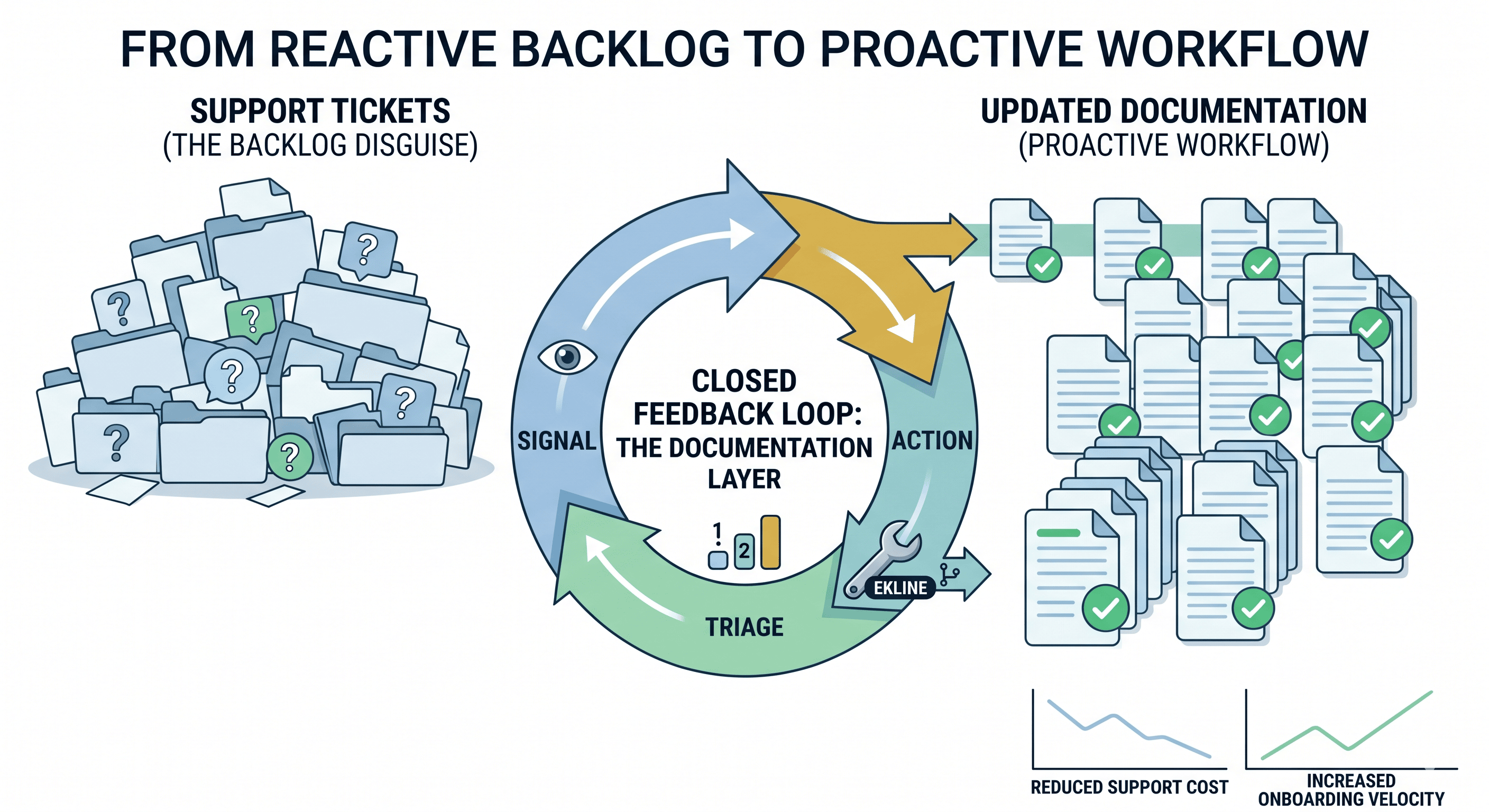
EkLine is a documentation automation layer. It plugs into your existing workflow—your repo, your editor, your CI/CD—and automates quality checks, consistency enforcement, and content updates. It treats incorrect documentation as a bug that should be caught before it ships.
When to Choose EkLine
EkLine is the better choice when you:
- Need to keep docs synchronized with a fast-changing product
- Want AI to identify what needs updating (not just help you write)
- Have multiple contributors who need consistency enforcement
- Want style guides actually enforced, not just documented
- Need proactive maintenance, not reactive fixes
- Are focused on accuracy over presentation
EkLine's two main products:
1. Docs Reviewer — Automated quality gate
- Style guide enforcement (active voice, terminology, structure)
- Broken link validation in CI/CD
- Real-time feedback in VS Code
- Custom rules for your company's standards
2. Docs Agent — AI assistant for maintenance
- Drafts new content from natural language prompts
- Identifies which files need updating after product changes
- Generates pull requests automatically
- Example: "The user invitation flow changed—update the onboarding guide"
When to Choose GitBook
GitBook is the better choice when you:
- Need an all-in-one platform for writing AND hosting docs
- Want a visual, block-based editor for non-technical writers
- Need beautiful, branded documentation with minimal design work
- Want AI-powered search for your readers
- Need spaces/organization for multiple doc sets
- Want the GitBook Agent for automated suggestions
GitBook's strengths:
- Polished visual editor — Block-based, works like Notion
- Git Sync — Connect to GitHub, work in Markdown if you prefer
- Beautiful output — Professional look without design work
- AI-powered search — Readers find answers conversationally
- Nested spaces — Organize complex documentation hierarchies
Maintenance Workflow Comparison
This is where the tools diverge most significantly. Here's what happens when a product feature changes:
| Step | GitBook Workflow | EkLine Workflow |
|---|---|---|
| Trigger | Engineer manually identifies needed update | Jira ticket completed or engineer gives prompt |
| Locating files | Manually search spaces to find relevant pages | Docs Agent automatically identifies affected files |
| Drafting content | Manually rewrite in editor | Docs Agent drafts updated content from prompt |
| Review process | Manual review for accuracy, style, tone | Docs Reviewer auto-checks style, terminology, links |
| Outcome | Updated docs, significant manual effort | Updated docs, minimal manual effort |
The key difference
With EkLine, an engineer doesn't have to hunt down pages or worry about phrasing. They can tell Docs Agent what changed, and it finds all affected documents, drafts updates, and creates the PR.
Quality Control Comparison
| Aspect | EkLine | GitBook |
|---|---|---|
| Style guide enforcement | Automated, customizable rules | Not available |
| Terminology consistency | Enforced automatically | Manual/peer review |
| Broken link detection | CI/CD integrated, pre-merge | Manual |
| Real-time feedback | VS Code extension | Not available |
| Quality metrics | Per-file scores | Not available |
| AI suggestions | Docs Reviewer + Docs Agent | GitBook Agent (beta) |
GitBook Agent can suggest improvements, but it's not checking against your company's specific style standards. EkLine ships with pre-configured rules and lets you customize for your terminology and tone.
Pricing Comparison
| Plan | EkLine | GitBook |
|---|---|---|
| Free | Public repos, basic Docs Reviewer | 1 user, gitbook.io subdomain, no AI |
| Standard/Premium | $50/user/month | $65/site/month + user fees |
| What's included | Private repos, custom rules, Docs Agent | Custom domain, AI features, branding |
Pricing models differ:
- EkLine = Per-user ($50/user/month)
- GitBook = Per-site + per-user (site plan + user fees stack up)
For a 5-person team with one site: EkLine Standard = $250/month, GitBook Premium = ~$113+/month (varies by user tier)
For larger teams, GitBook's combined site + user pricing can exceed EkLine's flat per-user rate.
Can You Use Both?
Absolutely. They solve different problems:
- Write docs in GitBook's editor
- Sync to GitHub via GitBook's Git Sync
- Review PRs with EkLine for style enforcement
- Publish back to GitBook
This combo gives you: GitBook's great editing/hosting + EkLine's quality automation.
The Bottom Line
| Your primary challenge | Choose... |
|---|---|
| Need all-in-one docs platform | GitBook |
| Keeping docs in sync with product | EkLine |
| Visual block editor for writers | GitBook |
| Automated style guide enforcement | EkLine |
| Beautiful hosted documentation | GitBook |
| Reducing manual review burden | EkLine |
| AI-powered search for readers | GitBook |
| Proactive maintenance automation | EkLine |
In short:
- If you need a complete documentation platform with great UX for writers and readers, GitBook delivers.
- If you're focused on documentation accuracy, consistency, and keeping content synchronized with development, EkLine provides the automation layer.
Try EkLine
Ready to automate your documentation workflow?
Start Free Trial View Docs GitHub Action
Questions? Contact us at support@ekline.io