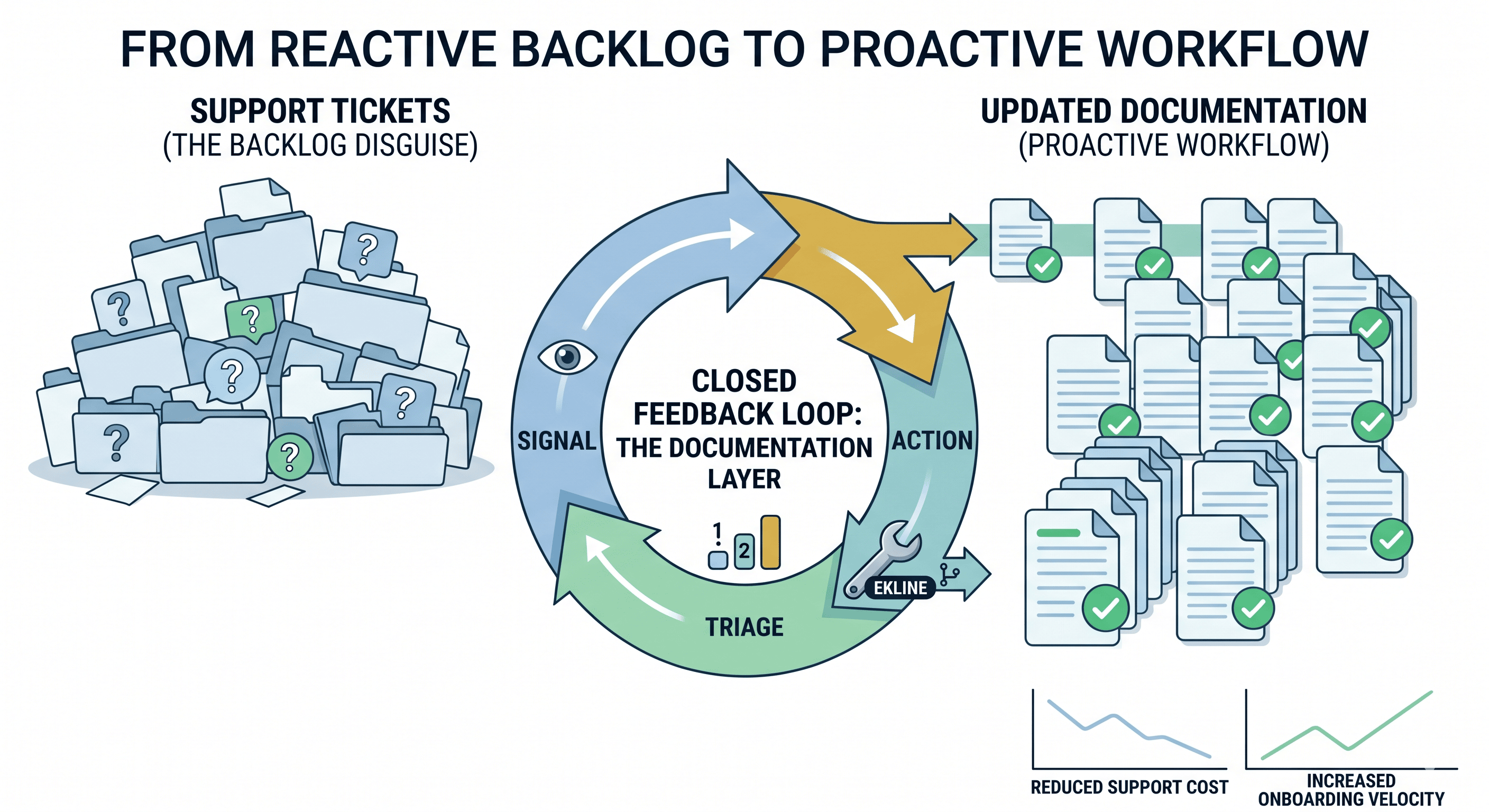
BlogThe API Docs Review Checklist You'll Wish You Had Last Sprint
Your PR shipped. Your docs didn't. Here's the checklist that makes 'I forgot to update the docs' a thing of the past.
"Your PR shipped. Your docs didn't. Here's the checklist that makes 'I forgot to update the docs' a thing of the past."
Series: Documentation Engineering Tags: api documentation github devtools
Let me paint you a picture. You'll recognize it.
A PR ships a new endpoint. Code review was thorough — three approvers, tests green, CI happy. Change goes to production. High fives all around.
Three weeks later, a developer files a support ticket. The docs say the endpoint returns user_id but it actually returns userId. One camelCase field. Three weeks of confused developers. Nobody remembered to update the docs, because of course nobody remembered to update the docs. The docs are always the thing you forget right before merge, right after "I'll add tests later."
Here's the thing that stings: this isn't a documentation team problem. It's a workflow problem. The person who knows the change best — the PR author — is the person best positioned to flag what needs updating. But nobody gave them a checklist, so they didn't.
Let's fix that.
The 80/20: Three Habits That Catch Most Doc Drift
Before we get to the full checklist, here's the version for teams that are honest about their attention spans. If your team does nothing else, do these three things:
- Search your docs for any endpoint or field name your PR changed. Every hit is a page that might be lying to your users now. Fix what you find.
- Copy-paste one code example from the docs and run it. If it breaks, it was already broken for every developer who tried it. Fix it.
- Add one line to your PR description: "Docs impact: [what changed]" or "Docs impact: none."
That's it. Those three habits — search, test, flag — catch the vast majority of doc drift before it reaches production. Everything below is the full version for teams ready to be thorough.
The Full Checklist
Save this as a PR template, a saved reply, or pin it in your team channel. Every PR author runs through this before requesting review.
1. Does This PR Change Anything a Developer Sees?
If the answer to any of these is yes, docs need updating. No exceptions, no "I'll do it next sprint":
- New endpoint or method — Does the API reference include it?
- Changed request parameters — Are names, types, required/optional flags, and defaults correct in the docs?
- Changed response format — Do example responses in the docs match the actual output?
- Deprecated endpoint or field — Is it marked as deprecated with a migration path?
- Changed authentication — Do the auth docs reflect the new flow?
- Changed error codes or messages — Is the error reference updated?
- New or changed rate limits — Are limits documented with the correct values?
- Changed SDK or library — Are installation instructions and version numbers current?
- Environment changes — Did sandbox/production URLs, regions, or configurations change?
If your PR only changes internal logic with zero external-facing impact, congratulations — you can stop here. Go get coffee.
2. Which Docs Are Affected?
This is where updates get missed, because a single API change is like pulling a thread. It unravels in places you didn't expect:
- API reference — The canonical source
- Quickstart guide — The first thing every new developer reads (and trusts completely)
- Integration tutorials — Step-by-step guides with code examples that now lie
- Migration guides — If this is breaking, does a migration guide exist? If not, you just volunteered to write one.
- SDKs and code samples — Do examples in every language still actually work?
- Changelog — Is this change logged with the release version?
- Error handling guide — If error codes changed, is the troubleshooting page updated?
- Postman/Insomnia collections — If you maintain shared collections, they're stale now too
The rule of thumb: Search your docs repo for the endpoint name, the field name, and any parameter names that changed. Every result is a page that's potentially lying to developers right now.
3. Do the Code Examples Still Work?
Code examples are the most dangerous part of documentation. They break silently, and developers trust them completely. They copy-paste, it fails, and they blame themselves for twenty minutes before realizing the example was wrong.
- Copy the example exactly as written in the docs — don't fix it from memory, that's cheating
- Run it against staging — does it execute without errors?
- Check the response — does the output match what the docs claim?
- Check defaults — if the example omits optional fields, are the defaults still the same?
- Test in all listed languages — if your docs show Python, JavaScript, and cURL, test all three. Not just the one you're comfortable with.
If you can't test the examples yourself, flag them in the PR description so a reviewer or tech writer can. An untested example is a support ticket waiting to happen.
4. Are the Descriptions Accurate?
Beyond "does it work," check that the words still describe reality:
- Parameter descriptions — Do they match current behavior?
- Field value constraints — Min/max values, allowed enums, format requirements
- Side effects — Does the endpoint trigger anything (webhooks, emails, state changes) the docs should mention?
- Permissions — If permissions or scopes changed, are they documented?
5. Have You Flagged the Change?
Even if you update the docs yourself, make the change visible:
- PR description mentions doc impact — A one-liner is enough: "Updates docs for POST /v3/transfers parameter change"
- Linked the docs PR — If docs are in a separate repo, link the two PRs so neither merges alone
- Tagged a tech writer — If your team has one, give them a heads-up on non-trivial changes
- Updated the changelog — Version, date, what changed
Put It in Your PR Template (30 Seconds, Saves Hours)
The fastest way to make this stick is to embed a minimal version in your team's PR template. Add this to .github/PULL_REQUEST_TEMPLATE.md:
Copy
## Documentation Impact

<!-- Check all that apply -->

- [ ] No external-facing changes (skip docs section)
- [ ] New/changed endpoints or parameters — API reference updated
- [ ] Code examples verified against sandbox
- [ ] Quickstart/tutorials checked for affected content
- [ ] Changelog updated
- [ ] Tech writer tagged (if applicable): @_____

**Docs PR:** <!-- link if separate repo -->
This adds 30 seconds to PR authoring. It prevents the "wait, did anyone update the docs?" Slack message three weeks later — the one nobody wants to answer because the answer is always no.
Automate What Shouldn't Depend on Human Memory
Checklists work. Until someone's in a rush, it's Friday at 4pm, and they click "merge" without looking. Here's what you can take out of human hands entirely:
Link validation in CI
Broken links are the easiest doc issue to catch automatically. No judgment calls, no edge cases — the link works or it doesn't:
Copy
# .github/workflows/docs-check.yml
name: Documentation Checks
on:
  pull_request:
    paths:
      - 'docs/**'

jobs:
  link-check:
    runs-on: ubuntu-latest
    steps:
      - uses: actions/checkout@v4
      - name: Check for broken links
        uses: lycheeverse/lychee-action@v2
        with:
          args: --verbose --no-progress './docs/**/*.md'
          fail: true
Style and terminology consistency
A style linter catches the inconsistencies humans miss after reading the same docs for the hundredth time — different names for the same concept, passive voice hiding who does what, three capitalization styles for the same product name:
Copy
      - name: Run documentation linter
        uses: ekline-io/ekline-github-action@v6
        with:
          content_dir: docs/
          ek_token: ${{ secrets.EK_TOKEN }}
          github_token: ${{ secrets.GITHUB_TOKEN }}
          reporter: github-pr-review
This posts review comments directly on the PR, the same way a code linter would. Because docs deserve the same treatment as code. (That's our whole thing, actually.)
Stale example detection
If your code examples live in standalone files (they should), you can track when they were last updated relative to the API code they reference:
Copy
#!/bin/bash
# Check if any doc examples are older than related API files
for example in docs/examples/*.py; do
  # Extract the endpoint from the example file
  endpoint=$(grep -oP '(?<=/)v\d+/\w+' "$example" | head -1)
  if [ -z "$endpoint" ]; then continue; fi

  # Find the corresponding API route file
  api_file=$(grep -rl "$endpoint" src/routes/ 2>/dev/null | head -1)
  if [ -z "$api_file" ]; then continue; fi

  # Compare last-modified dates
  example_date=$(git log -1 --format="%ct" -- "$example")
  api_date=$(git log -1 --format="%ct" -- "$api_file")

  if [ "$api_date" -gt "$example_date" ]; then
    echo "STALE: $example (last updated $(date -d @$example_date +%Y-%m-%d)) — API file $api_file changed $(date -d @$api_date +%Y-%m-%d)"
  fi
done
It won't catch everything. But it'll catch the obvious ones: API code changed two months ago, corresponding example hasn't been touched. That's a lie your docs are telling right now.
When to Use a Separate Docs PR
Sometimes stuffing doc updates into the same PR makes things worse:
Large refactors. If your code PR is already 800 lines, adding doc changes makes review a nightmare. Create a linked docs PR instead. Just make sure neither merges alone.
Docs in a separate repo. You can't include them in the same PR anyway. Link them. Set a team rule: code PR doesn't merge until the docs PR exists.
Uncertain scope. If you're not sure which docs are affected, don't guess and don't ignore it. Flag it: "Docs impact: needs investigation — changed the response format for /transfers." Let someone who knows the docs assess the full scope.
The worst outcome isn't "docs update in a separate PR." It's "nobody flagged the docs impact at all." That's how user_id becomes userId in production and nobody notices for three weeks.
Want to take the "remembering" out of documentation reviews? EkLine runs style, accuracy, and consistency checks on every PR automatically — so your docs get the same quality gate as your code. No human memory required.